First work laptop · UK market
Best Value for Your First Work Laptop
Choose a first work laptop for spreadsheets, commuting and casual games without spending on hardware you do not need.
By RedSea ·
A first proper laptop for office work, commuting and switching off afterwards
The first laptop you buy with your own salary tends to get bought badly - either too cheap, because the budget feels like a lot of money, or too expensive, because a spec sheet convinced you that you needed a graphics card. What it actually has to do is survive a working day of Excel and forty tabs, come on a train without a charger, and still be pleasant on a Friday night.
Four jobs below, with two picks each wherever two different machines win at different prices. The prices are the striking part: three of the four are won outright by a laptop well under the budget.
Office and business
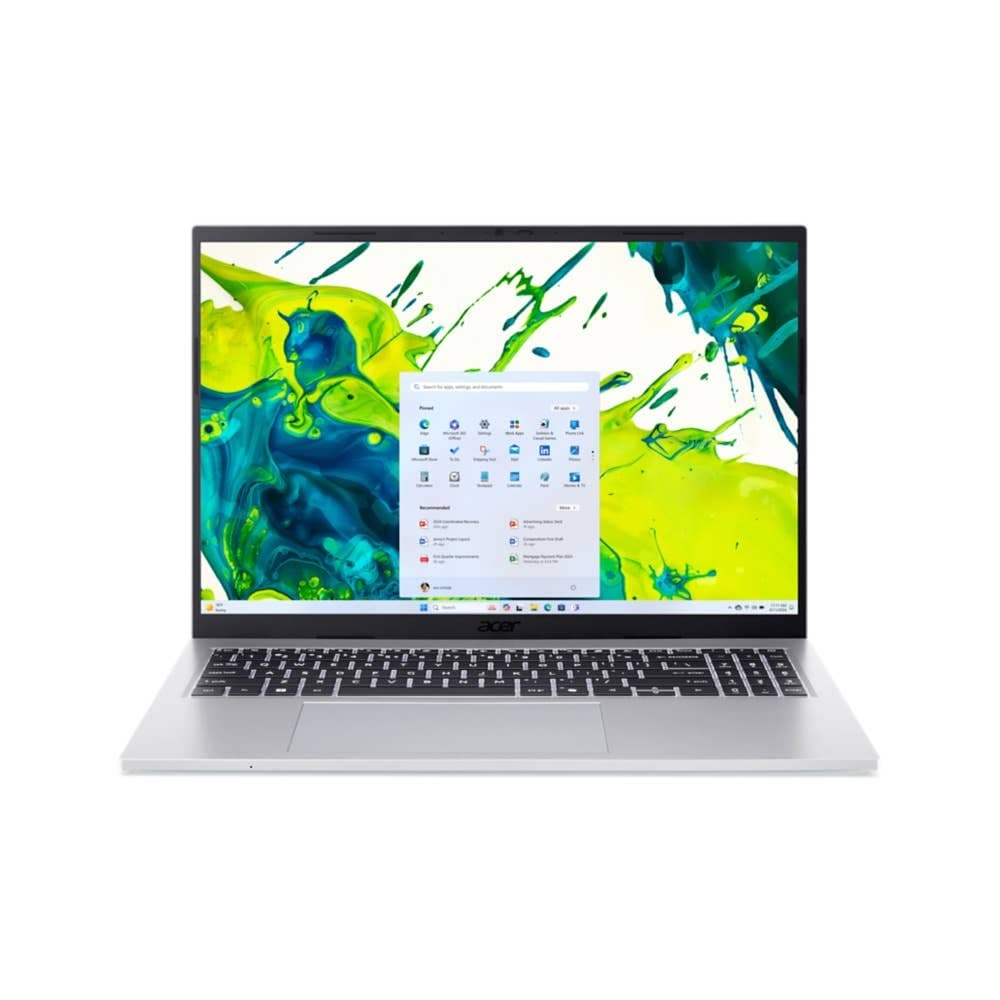
Best laptop for office work that will not freeze with Excel and many tabs open under £700 - is ACER Aspire Go 15 15.6" Laptop - Intel® Core™ i7, 512 GB SSD, Silver
Guide price: £548.97
This laptop is well-suited for your office and business tasks, with its Intel Core i7-13620H processor to keep you moving through your working day. Strong multi-core performance means it stays responsive with many tabs and Excel open, and 16 GB of RAM lets you keep spreadsheets, email and a browser full of tabs going at once.
A Core i7 with 16 GB of memory for under £550 is the kind of pricing that normally comes with a catch, and here the catch is modest: 512 GB of storage rather than a terabyte, a Full HD 1920 x 1080p screen rather than anything sharper, and up to 9.5 hours of battery, which is a working day but not a long one. It is 1.8 kg, so it is a desk laptop that travels rather than a travel laptop.
The screen is colour-accurate, which matters more than it sounds for something you stare at for eight hours - and it means Photoshop, Lightroom or Figma are all usable here if your job strays that way. The memory can also be doubled to 32 GB later, which is rare at this price and makes it the one laptop here with a second life in it.
Commuting or Business Travel
Best laptop for commuting that is light enough to carry and lasts the journey under £700 - is HP OmniBook 7 Aero 13" Next Gen AI Laptop - AMD Ryzen™ AI 7, 16GB
Guide price: £599
This laptop is well-suited for your travel and commuting tasks, with up to 12 hours and 15 minutes of battery life so you are not hunting for a socket on the move. A sub-1 kg chassis barely registers in a bag, and the 1 TB SSD holds the files you need with you offline.
Under a kilogram with a 13.3-inch WQXGA (2560 x 1600) screen and a terabyte of storage is a genuinely strong combination at £599, and the battery figure is the highest of anything on this page.
What you trade is screen size and colour accuracy - the screen is not colour-accurate, which is irrelevant for email and noticeable if you edit photos. For a commute it is the right machine.
Light gaming after work
Best laptop for after-work casual gaming like Rocket League and The Sims 4 under £700 - is HP OmniBook 7 Aero 13" Next Gen AI Laptop - AMD Ryzen™ AI 7, 16GB
Guide price: £599
This laptop is well-suited for your light gaming tasks, with its AMD Ryzen AI 7 processor for titles like Minecraft, Roblox and Rocket League. Strong multi-core performance means lighter games run smoothly alongside everything else, and 16 GB of RAM lets games and your browser run at the same time.
The same machine as the commuting pick, which tells you something: at this price what makes a laptop good for light games is a capable processor and enough memory, not a graphics card. The graphics here are built into the processor, which is all these titles ask for.
Best laptop for after-work casual gaming like Rocket League and The Sims 4 under £900 - is HP OmniBook 7 16" Next Gen AI Laptop - Intel® Core™ Ultra 5, 16GB, 1TB
Guide price: £899
This laptop is well-suited for your light gaming tasks, with its Intel Core Ultra 5 processor for titles like Minecraft, Roblox and Rocket League. Strong multi-core performance means lighter games run smoothly alongside everything else, and 16 GB of RAM lets games and your browser run at the same time.
The £300 step up buys you a 16-inch 2K (1920 x 1200) screen instead of 13.3 inches, better built-in graphics, a colour-accurate screen, and up to 13 hours and 15 minutes of battery - the longest here. Same 16 GB of memory, same 1 TB of storage.
The cost is portability: 1.91 kg against under 1 kg. If the laptop lives on a desk and the gaming happens there, take the bigger screen. If it commutes, do not.
Everyday and entertainment
Best laptop for unwinding with Netflix and YouTube after work under £700 - is HP ChromeBook 15" - Intel® Core™ i3 N305, 8GB, 128GB, FHD
Guide price: £400
This laptop is well-suited for your everyday and entertainment tasks, with up to 11 hours of battery life so it lasts through the day without charging, and a 144 Hz refresh rate for smoother scrolling and streaming.
At £400 for a 15.6-inch FHD (1920 x 1080) screen with the smoothest refresh rate here, this is the correct answer to the narrow question. It is also 8 GB of memory and 128 GB of storage on ChromeOS, which is why it is not the answer to any of the other three questions on this page.
Buy it as a second machine for the sofa, not as the laptop you work on.
Best laptop for unwinding with Netflix and YouTube after work under £900 - is HP Omnibook X Flip 14" Next Gen AI Laptop -AMD Ryzen™ AI 7, 16GB, 1TB, Touchscreen, with pen
Guide price: £899
This laptop is well-suited for your everyday and entertainment tasks, with up to 10 hours and 45 minutes of battery life so it lasts through the day without charging, and a 120 Hz refresh rate for smoother scrolling and streaming.
This is the £499 answer to the Chromebook's limitations, and it is a different class of machine: a 14-inch 3K (2880 x 1800) colour-accurate touchscreen with a pen, 16 GB of memory, 1 TB of storage, and 1.39 kg of weight. It runs Windows 11 Home, so it is a real laptop rather than a browser in a case.
The refresh rate is a little lower than the Chromebook's and the battery is slightly shorter. Everything else about it is better by a distance.
The short version
If you are buying one laptop, buy the £548.97 ACER Aspire Go 15 for a desk-based job or the £599 HP OmniBook 7 Aero 13" if you commute - those two cover office, travel and light gaming between them for well under the budget. If you want one machine that does everything including the evening, the £899 HP Omnibook X Flip 14" is the only pick here that is genuinely good at all four jobs. The £400 Chromebook is a great second laptop and a poor only one.
Your workload comes first.
Get a shortlist for your budget, software and preferences using the latest catalog available to RedSea.
Find my product