Senior specialists · UK market
Best Value Laptops for Senior Professionals in Specialist Work
Compare professional laptops for development, colour-sensitive editing, local machine learning and CAD.
By RedSea ·
The widest budget in the guide, spent on the four jobs that genuinely need hardware
This is the only budget in the guide that comfortably exceeds the requirement in every category, which makes it the one where it is easiest to waste money. The four specialist jobs - code, colour, models and 3D - each have one spec that decides the outcome, and in three of the four the deciding spec is satisfied well below the ceiling.
Two picks per category, walking upward from the cheapest credible option. Where the cheaper machine is the better buy, it says so.
Professional software development
Best laptop for professional software development with fast compiling under £1500 - is PCSPECIALIST Lafite 14" Laptop - AMD Ryzen AI 9, 2 TB SSD, Grey
Guide price: £1,349
This laptop is well-suited for your coding tasks, with its AMD Ryzen AI 9 HX 370 processor for builds and compiling. A multi-core benchmark score of 14,996 means compiles and test runs finish faster, and 32 GB of RAM lets you run containers, a local database and an IDE at once.
A 2 TB SSD is the stand-out - twice what anything else at this price offers, and the kind of spec that matters when every project you have ever worked on is checked out locally. 32 GB of DDR5 at 5600 MHz, a Quad HD+ 2880 x 1800p 14-inch panel, 1.6 kg. For a Docker-heavy stack or a handful of resident VMs, the memory and the storage are the two specs doing the work.
Two caveats. Battery is up to 7 hours, the shortest figure in this guide, and the display's colour accuracy is not stated on the listing. For a machine that mostly sits on a desk neither is fatal, but both are worth knowing.
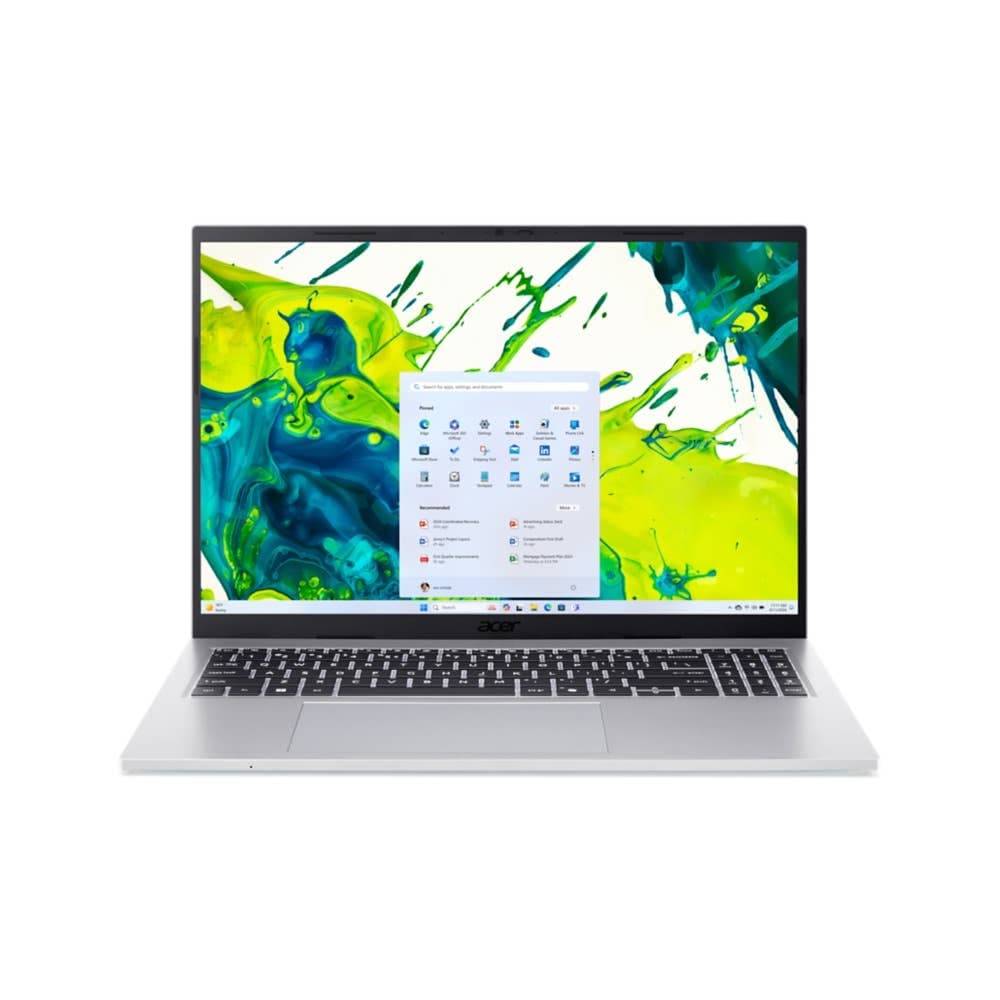
Best laptop for professional software development with fast compiling under £1600 - is ACER Swift 16 AI 16" Laptop, Copilot+ PC - Intel® Core™ Ultra X7, 1 TB SSD, Grey
Guide price: £1,598.97
This laptop is well-suited for your coding tasks, with its Intel Core Ultra X7 358H processor for builds and compiling. A multi-core benchmark score of 16,696 means compiles and test runs finish faster, and 32 GB of RAM lets you run containers, a local database and an IDE at once.
This is the fastest multi-core score of any machine in the guide, about 11% ahead of the £1,349 option, and it comes with up to 14 hours of battery against seven and a colour-accurate 2.8k 2880 x 1800p panel on a 16-inch screen, at 1.5 kg. On a large C++ or Rust codebase that eleven percent is minutes per full build, several times a day.
The trade is storage: 1 TB instead of 2 TB, for £249.97 more. If you compile all day and work away from a desk, take the Swift. If you need the space more than the ten percent, take the Lafite.
Professional photo and video editing
Best laptop for professional 4K video editing on a colour-accurate display under £1500 - is HP OmniBook X Flip 2-in-1 Laptop Next Gen AI 16-ar0006nax
Guide price: £1,299
This laptop is well-suited for your photo and video editing tasks, with its 16-inch 2880 x 1800 display so you can see fine detail in your footage and stills. The AMD Ryzen AI 7 processor handles timeline work and exports, and a multi-core benchmark score of 11,283 means exports and renders finish faster.
A colour-accurate 16-inch 3K (2880 x 1800) panel with 32 GB of RAM and a 1 TB SSD, at 1.89 kg with up to 11 hours of battery. The 2-in-1 hinge and the large high-resolution screen make this a pleasant machine to grade on, and 32 GB is enough to keep a multi-stream 4K timeline and a large RAW catalogue open together.
The multi-core score is the weaker of the two picks here, so exports will be slower. For photography and lighter video that is an acceptable trade for the screen.
Best laptop for professional 4K video editing on a colour-accurate display under £1600 - is ACER Swift 16 AI 16" Laptop, Copilot+ PC - Intel® Core™ Ultra X7, 1 TB SSD, Grey
Guide price: £1,598.97
This laptop is well-suited for your photo and video editing tasks, with its 16-inch 2880 x 1800 display so you can see fine detail in your footage and stills. The Intel Core Ultra X7 358H processor handles timeline work and exports, and a multi-core benchmark score of 16,696 means exports and renders finish faster.
The same colour-accurate 16-inch resolution and the same 32 GB of RAM, but with a substantially higher multi-core score, up to 14 hours of battery instead of eleven, and 1.5 kg instead of 1.89 kg. For £299.97 more, every number that matters for editing moves in the right direction.
It is not a 2-in-1, so if you wanted the hinge and the touchscreen the cheaper machine keeps those. Otherwise this is the straightforward recommendation.
AI, machine learning and data science
Best laptop for local machine learning with high memory for fine-tuning under £1700 - is Apple MacBook Air 13.6-inch (M5) — 10-core GPU, 32GB, 512GB
Guide price: £1,699
This laptop is well-suited for your AI, machine learning and data science tasks, with its 10-core GPU (integrated, Apple M5) for local training and inference. A GPU compute score of 76,076 covers model training and inference workloads, and the Apple M5 processor handles data preparation and sustained load.
32 GB of unified memory on Apple Silicon means the GPU and CPU draw from the same pool, so model size is bounded by total memory rather than by a graphics card's VRAM. For local inference through Ollama or LM Studio that is an advantage, not a compromise. At 1.23 kg with up to 18 hours of video playback, it is also the only machine in this category you would willingly carry.
The limitation is the platform: macOS on integrated graphics, with no NVIDIA GPU compute toolchain available. If your work assumes NVIDIA, stop here and read the next pick.
Best laptop for local machine learning with CUDA and high VRAM for fine-tuning under £2000 - is Acer Nitro 18 AI Gaming Laptop | AN18-61 | Black
Guide price: £1,999
This laptop is well-suited for your AI, machine learning and data science tasks, with its NVIDIA GeForce RTX 5070 Ti Laptop GPU for local training and inference. A GPU compute score of 143,046 covers model training and inference workloads, and 12 GB of dedicated VRAM means you can run larger models locally.
£300 buys you the NVIDIA CUDA ecosystem and a GPU compute score well above the MacBook's, with 32 GB of DDR5 and a 1 TB SSD behind it. For any workflow built on CUDA - and for LLM fine-tuning in particular, where the libraries assume it - this is not a comparison, it is the only option of the two.
The price is physical: 3.02 kg, an 18-inch chassis and up to 8 hours of battery. This machine lives on a desk.
Professional CAD, Blender and 3D
Best laptop for professional CAD, Blender and 3D rendering work under £2000 - is Acer Nitro 18 AI Gaming Laptop | AN18-61 | Black
Guide price: £1,999
This laptop is well-suited for your 3D and industrial design tasks, with its NVIDIA GeForce RTX 5070 Ti Laptop GPU for viewport performance and rendering. A GPU compute score of 143,046 means faster renders, and 12 GB of dedicated VRAM handles complex scenes and large assemblies.
32 GB of DDR5, a 1 TB SSD, 12 GB of GDDR7 VRAM and a colour-accurate WQXGA (2560 x 1600) display on Windows 11 Home - the full set of requirements for professional CAD work, met at the lowest price available here.
An 18-inch 3.02 kg chassis is a lot of laptop, though for viewport work the screen area is part of the point.
Best laptop for professional CAD, Blender and 3D rendering work under £2100 - is OMEN MAX 16" Gaming Laptop - AMD Ryzen™ AI 9, 32 GB, 1TB, NVIDIA® GeForce RTX™ 5070 Ti , 240 Hz, 3 ms Response Time
Guide price: £2,099
This laptop is well-suited for your 3D and industrial design tasks, with its NVIDIA GeForce RTX 5070 Ti for viewport performance and rendering. A GPU compute score of 230,229 means faster renders, and 12 GB of dedicated VRAM handles complex scenes and large assemblies.
A GPU compute score roughly 1.6 times the Nitro's for £100 more, on the same 12 GB of VRAM, the same 32 GB of DDR5, the same 1 TB SSD and the same colour-accurate WQXGA (2560 x 1600) panel - in a 16-inch body that is 360 g lighter.
There is no reading of this comparison where the cheaper machine wins. If you are buying a rendering laptop at this budget, buy this one.
The short version
Development: the £1,598.97 ACER Swift 16 AI unless you specifically need the 2 TB drive in the £1,349 PCSPECIALIST Lafite. Editing: the same Swift 16, which is better than the £1,299 HP OmniBook X Flip on every spec that affects the work. Machine learning: £1,699 for the MacBook Air M5 if you are not tied to NVIDIA, £1,999 for the Acer Nitro 18 if you are. 3D: the £2,099 OMEN MAX 16", without hesitation. Notably, one machine - the Swift 16 AI - wins two of the four categories outright, which makes it the single best buy at this budget if your work spans code and colour.
Your workload comes first.
Get a shortlist for your budget, software and preferences using the latest catalog available to RedSea.
Find my product