Early-career specialists · UK market
Best Value for Your First Work Laptop in Specialist Technical Fields
Where to spend on a laptop for software development, photo and video editing, local models or 3D design.
By RedSea ·
Code, models, colour and 3D - where the money has to go, and where it does not
Specialist work is where laptop buying gets expensive for good reasons and bad ones. The good reason is that compiling, rendering and training genuinely need hardware. The bad reason is that the categories look similar from the outside - they are all "powerful laptops" - while the specs that matter in each are almost entirely different. Memory decides a coding machine. VRAM decides a 3D machine. A colour-accurate panel decides an editing machine, and costs almost nothing.
Four jobs, two picks each. The spread is wide: £999 at the bottom, £2,099 at the top, and in two of the four categories the cheaper pick is the one worth buying.
Software development
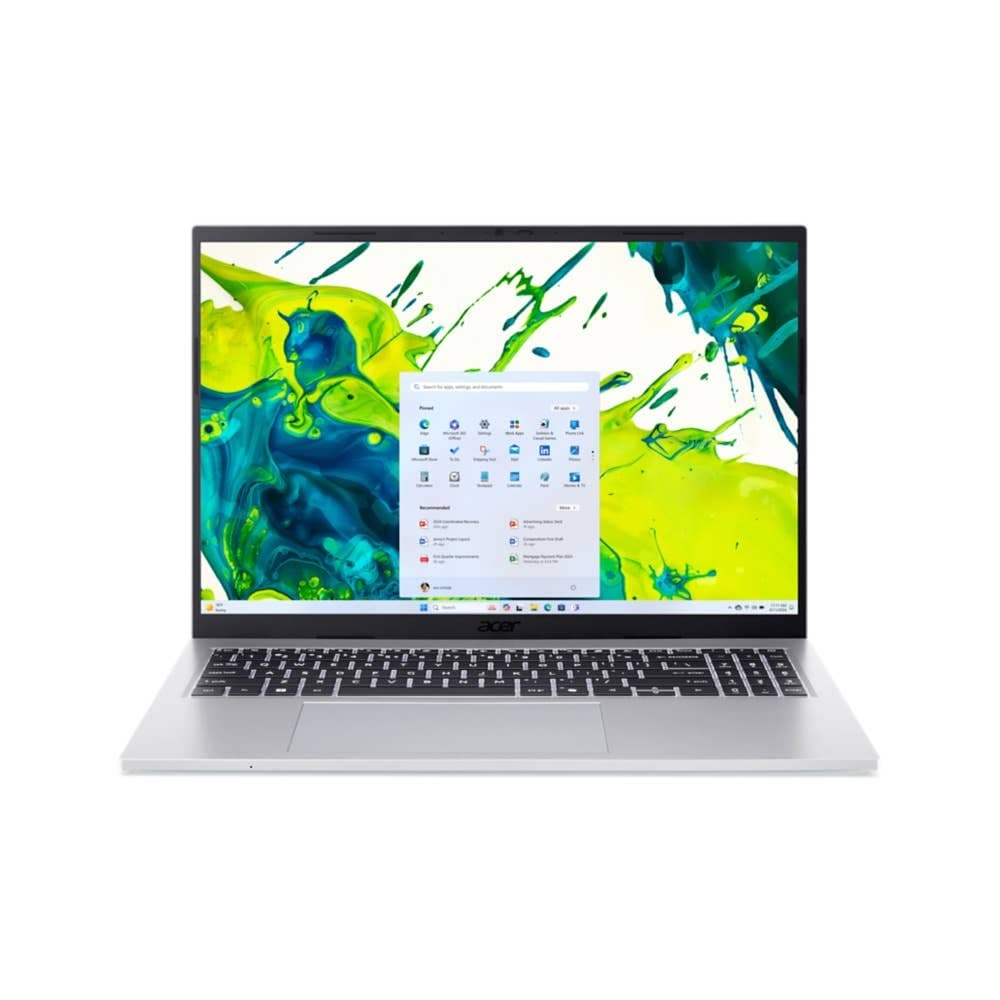
Best laptop for software development with enough memory for VMs and Docker under £1000 - is Acer Aspire Go 16 Laptop | AG16-71P | Silver
Guide price: £999.99
This laptop is well-suited for your coding tasks, with its Intel Core i9 i9-13900H - Tetradeca-core processor for builds and compiling. A multi-core benchmark score of 12,847 means compiles and test runs finish faster, and 32 GB of RAM lets you run containers, a local database and an IDE at once.
32 GB of DDR5 and a 1 TB SSD under a thousand pounds is the whole argument. A 16-inch WUXGA (1920 x 1200) panel gives you a terminal beside an editor without squinting, it is 1.65 kg, and battery runs to around ten hours. If you run Linux natively or through WSL2, the fourteen cores and the memory headroom are what make a multi-container stack plus a C++ build tolerable.
The display is not colour-accurate, which for a developer is a non-issue, and will matter the day you are asked to check a design. Worth knowing before you buy rather than after.
Best laptop for software development with enough memory for VMs and Docker under £1100 - is Acer Aspire 15 Laptop | A15-51M | Grey
Guide price: £1,099.99
This laptop is well-suited for your coding tasks, with its Intel Core i9 i9-13900H - Tetradeca-core processor for builds and compiling. A multi-core benchmark score of 12,847 means compiles and test runs finish faster, and 32 GB of RAM lets you run containers, a local database and an IDE at once.
Same processor, same benchmark score, same 32 GB and same 1 TB SSD - so the £100 is not buying compute. It is buying up to 14.50 hours of battery against around ten, and LPDDR5 memory instead of DDR5, in a smaller 15.6-inch Full HD (1920 x 1080) body at 1.77 kg.
If you work plugged in at a desk, the cheaper machine and its bigger, higher-resolution screen is the better buy. If you work in cafes and meeting rooms, four and a half more hours of battery is worth a hundred pounds.
Photo and video editing
Best laptop for 4K video editing that handles Premiere Pro and DaVinci Resolve without lagging under £1000 - is PCSPECIALIST Lafite 14" Laptop - AMD Ryzen AI 7, 1 TB SSD, Grey
Guide price: £999
This laptop is well-suited for your photo and video editing tasks, with its 14-inch 2880 x 1800 display so you can see fine detail in your footage and stills. The AMD Ryzen AI 7 350 processor handles timeline work and exports, and a multi-core benchmark score of 12,835 means exports and renders finish faster.
A colour-accurate Quad HD+ 2880 x 1800p panel at £999 is the headline, and it is the spec that actually decides whether you can trust what you are grading. 16 GB of RAM and a 1 TB SSD are both adequate rather than generous - fine for 1080p and single-stream 4K, tight for motion graphics or large RAW photo libraries - and at 1.6 kg it travels well.
The limitation is battery: up to 7 hours, the shortest in this guide. Editing is a plugged-in activity, so this is survivable, but do not buy it expecting to cut on a flight.
Best laptop for 4K video editing that handles Premiere Pro and DaVinci Resolve without lagging under £1300 - is HP OmniBook X Flip 2-in-1 Laptop Next Gen AI 16-ar0006nax
Guide price: £1,299
This laptop is well-suited for your photo and video editing tasks, with its 16-inch 2880 x 1800 display so you can see fine detail in your footage and stills. The AMD Ryzen AI 7 processor handles timeline work and exports, and a multi-core benchmark score of 11,283 means exports and renders finish faster.
Note that the multi-core score here is lower than the £999 machine's, so the £300 is not buying export speed. It is buying a 16-inch colour-accurate 3K (2880 x 1800) panel instead of 14 inches, 32 GB of RAM instead of 16 GB, and up to 11 hours of battery instead of seven. It is also a 2-in-1, which some people want and most do not.
32 GB is the spec that justifies it, and it is why "video editing laptop with 32GB RAM" is the search people land on eventually. Multi-stream 4K timelines and a browser full of references are where 16 GB starts swapping, and that is a worse experience than a slightly slower export.
AI, machine learning and data science
Best laptop for running LLMs locally with enough memory under £1700 - is Apple MacBook Air 13.6-inch (M5) — 10-core GPU, 32GB, 512GB
Guide price: £1,699
This laptop is well-suited for your AI, machine learning and data science tasks, with its 10-core GPU (integrated, Apple M5) for local training and inference. A GPU compute score of 76,076 covers model training and inference workloads, and the Apple M5 processor handles data preparation and sustained load.
32 GB of unified memory is the reason this qualifies: on Apple Silicon the GPU addresses the same pool as the CPU, so a model that needs more than a consumer graphics card's VRAM can still be loaded. For running quantised models through Ollama or LM Studio, that is the whole ballgame - and in a 1.23 kg body with up to 18 hours of video playback, it is a remarkable machine to carry.
The caveat: this is macOS on integrated graphics, so NVIDIA's GPU compute toolchain is not available. If your stack assumes NVIDIA - and a great deal of production machine learning does - this is the wrong purchase at any price. Our guide for senior specialists covers the NVIDIA route at £1,999.
3D and industrial design
Best laptop for SolidWorks, Fusion 360 and 3D rendering as an industrial designer under £2000 - is Acer Nitro 18 AI Gaming Laptop | AN18-61 | Black
Guide price: £1,999
This laptop is well-suited for your 3D and industrial design tasks, with its NVIDIA GeForce RTX 5070 Ti Laptop GPU for viewport performance and rendering. A GPU compute score of 143,046 means faster renders, and 12 GB of dedicated VRAM handles complex scenes and large assemblies.
This is the cheapest machine available here that clears the 3D requirement: 32 GB of DDR5, a 1 TB SSD, 12 GB of GDDR7 VRAM and a colour-accurate WQXGA (2560 x 1600) display on Windows 11 Home. Windows is not optional for this work - SolidWorks has no macOS build at all. On 16 GB versus 32 GB for 3D rendering, the requirement is unambiguous, and this meets it rather than exceeding it.
It is 3.02 kg across an 18-inch chassis with up to 8 hours of battery. This is a workstation that folds, not a laptop.
Best laptop for SolidWorks, Fusion 360 and 3D rendering as an industrial designer under £2100 - is OMEN MAX 16" Gaming Laptop - AMD Ryzen™ AI 9, 32 GB, 1TB, NVIDIA® GeForce RTX™ 5070 Ti , 240 Hz, 3 ms Response Time
Guide price: £2,099
This laptop is well-suited for your 3D and industrial design tasks, with its NVIDIA GeForce RTX 5070 Ti for viewport performance and rendering. A GPU compute score of 230,229 means faster renders, and 12 GB of dedicated VRAM handles complex scenes and large assemblies.
£100 for a GPU compute score roughly 1.6 times higher, on the same 12 GB of VRAM, in a 16-inch chassis that is 360 g lighter. Same 32 GB of DDR5, same 1 TB SSD, same colour-accurate WQXGA (2560 x 1600) panel. For GPU rendering in Blender's Cycles, or for Fusion 360 and Keyshot, that is where the time goes.
This is the clearest value step in the whole guide. If you are spending two thousand pounds on a rendering machine, spend the extra hundred.
The short version
Developers: the £999.99 Acer Aspire Go 16 unless you need battery, in which case the £1,099.99 Acer Aspire 15. Editors: the £999 PCSPECIALIST Lafite if you work at a desk, the £1,299 HP OmniBook X Flip 16 if your timelines are heavy enough to need 32 GB. Machine learning: £1,699 for the MacBook Air M5 only if your stack is not built on NVIDIA. And 3D: do not buy under £1,999, and at that point pay the extra £100 for the OMEN MAX 16".
Your workload comes first.
Get a shortlist for your budget, software and preferences using the latest catalog available to RedSea.
Find my product